More new in Sigmail: two new email signature layouts, button styles and 20 photo animations.
A big round of updates to make every email signature on your team look sharper. Here's what's new, starting with the 50 second tour.
8
New Updates
2
New Layouts
5
Button Styles
20
Photo Animations
Using ChatGPT or Claude? Take this update with you.
Your signature goes out on every email your team sends. That makes it one of the most seen pieces of your brand, so it should look the part.
This round of updates is about exactly that: more ways to make it yours, less work to keep it right. Everything below is live now.
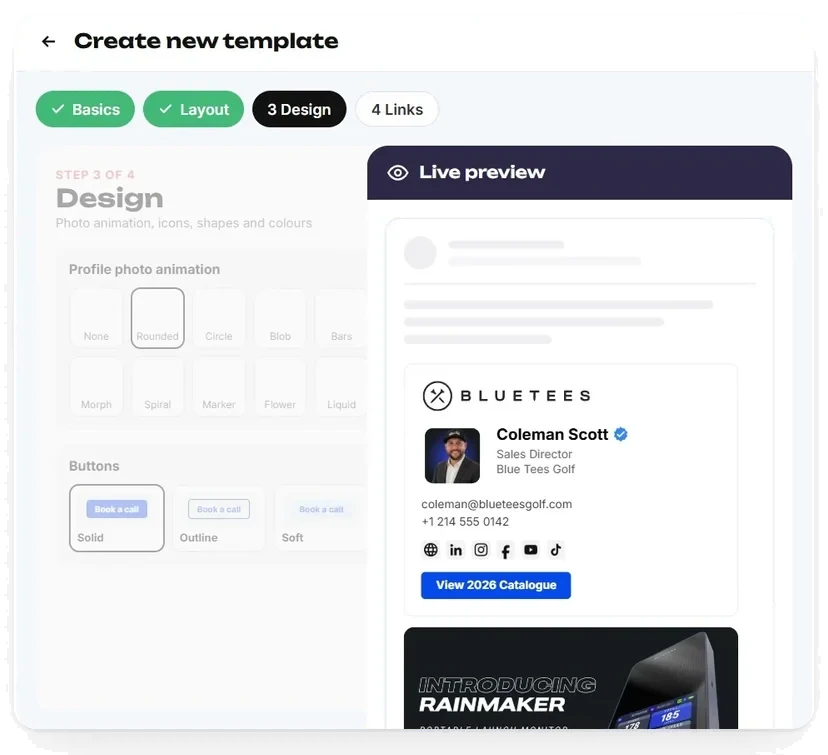
A roomier editor, with a live email preview.
The template editor now splits the screen in half. You build on the left and see the result on the right, sitting inside an example email, so you see it the way your recipients will.
Logos without the box.
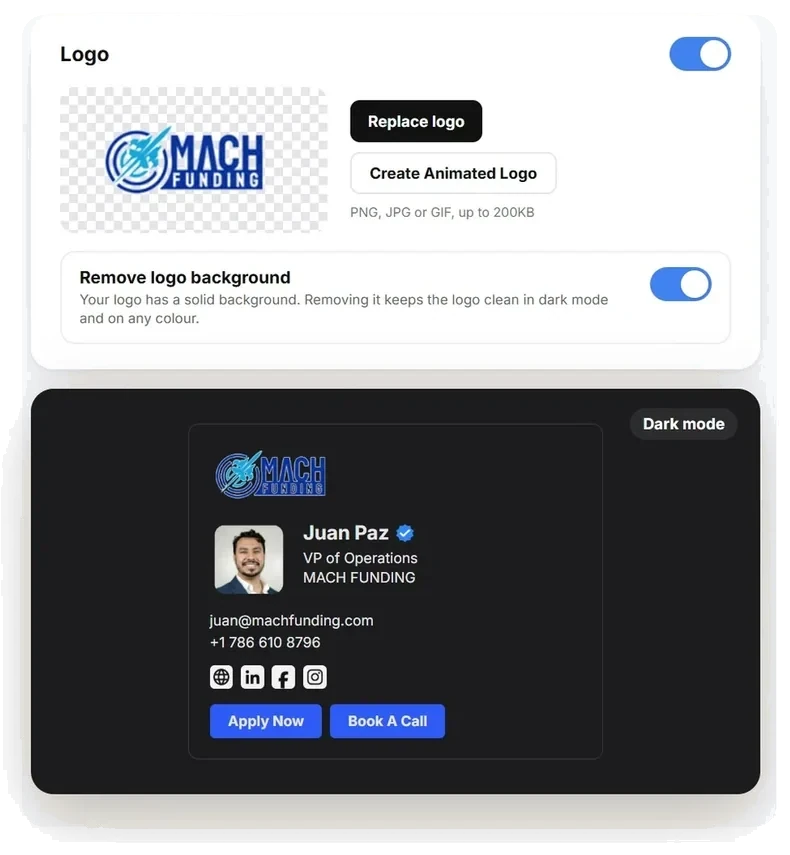
Most logos come on a white background. In a dark mode inbox or on a coloured card, that shows up as an ugly white box around your logo.
Upload a logo on a white background and Sigmail removes it for you. Your logo sits clean on any signature, in light mode and dark mode.
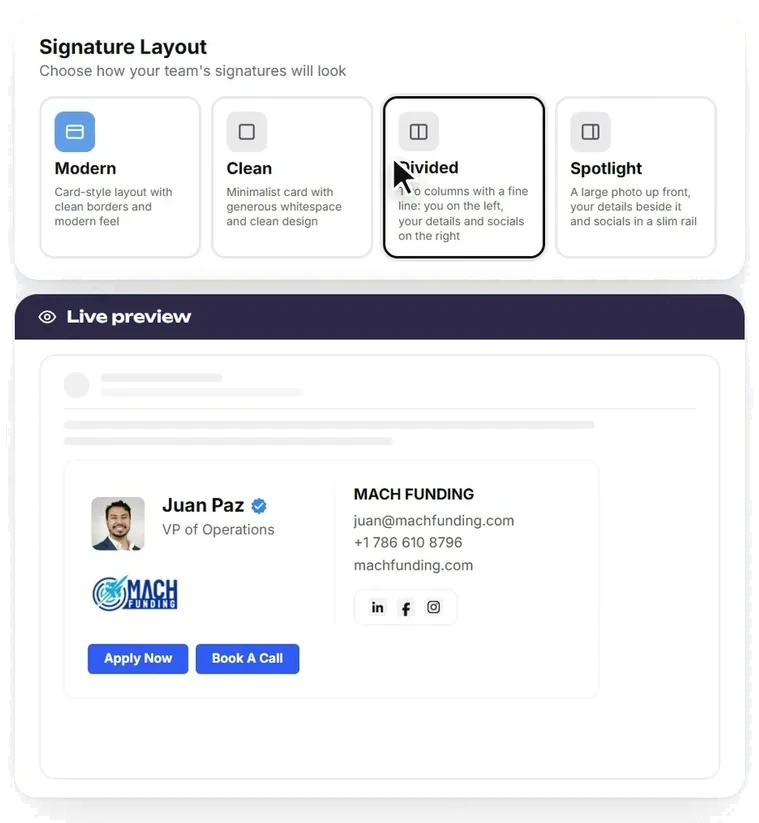
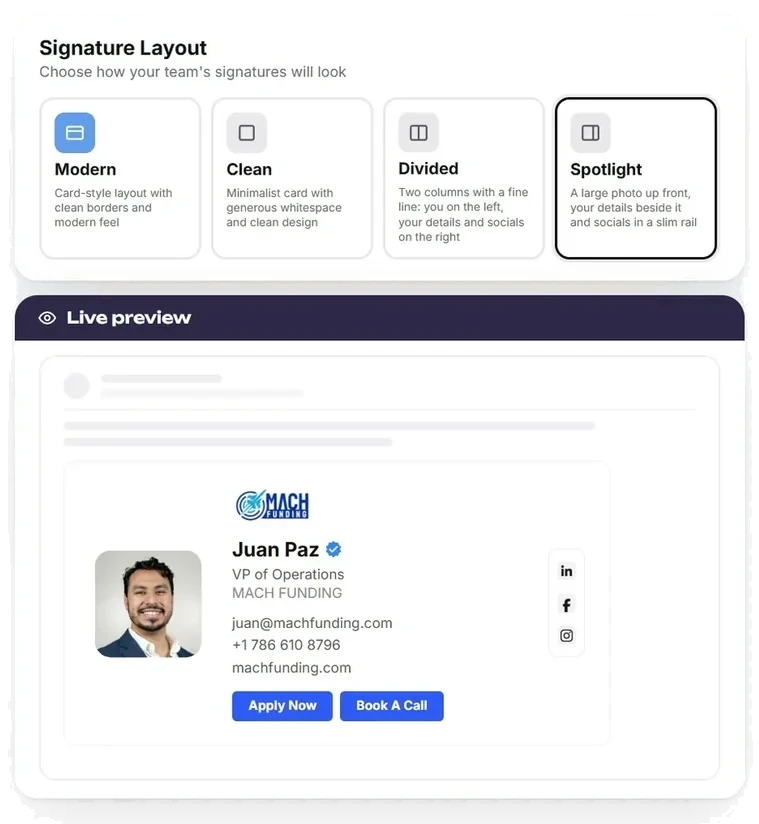
Two new layouts: Divided and Spotlight.
Divided puts you on one side and your details on the other, split by a fine line. Your name, title, photo and logo on the left. Company, contacts and socials on the right.
Spotlight puts your photo up front. A large photo, your details beside it and your socials in a slim rail. Great for anyone whose face is the brand.
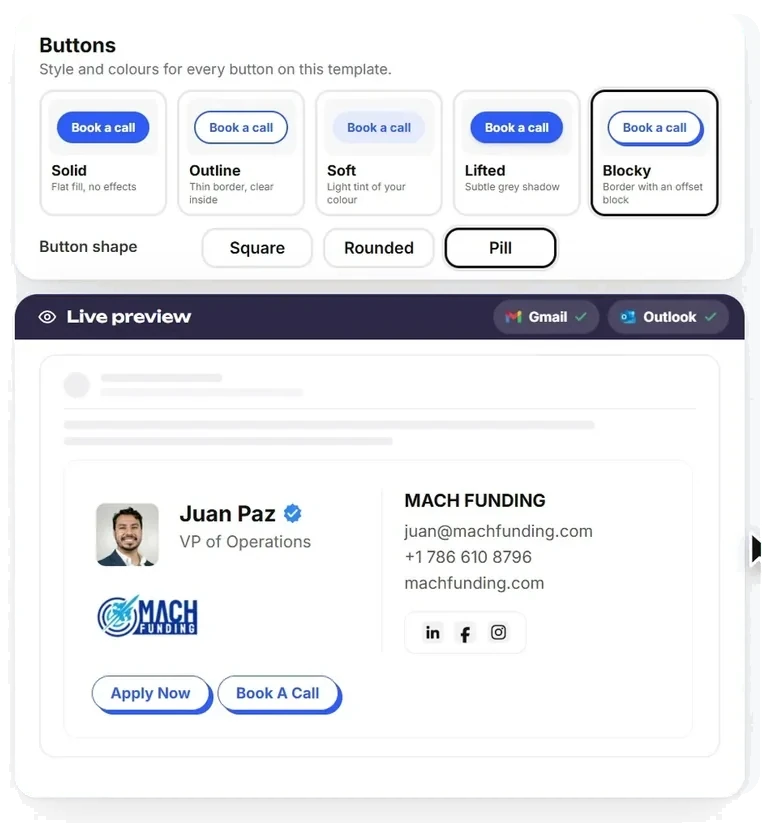
Buttons with style.
Pick from five button styles: Solid, Outline, Soft, Lifted and Blocky. Then choose square, rounded or pill corners.
Every style is built to look the same in Gmail, Outlook and Apple Mail. Where an app drops an effect, like a shadow, Sigmail sends a picture of the button instead, so it never looks broken.
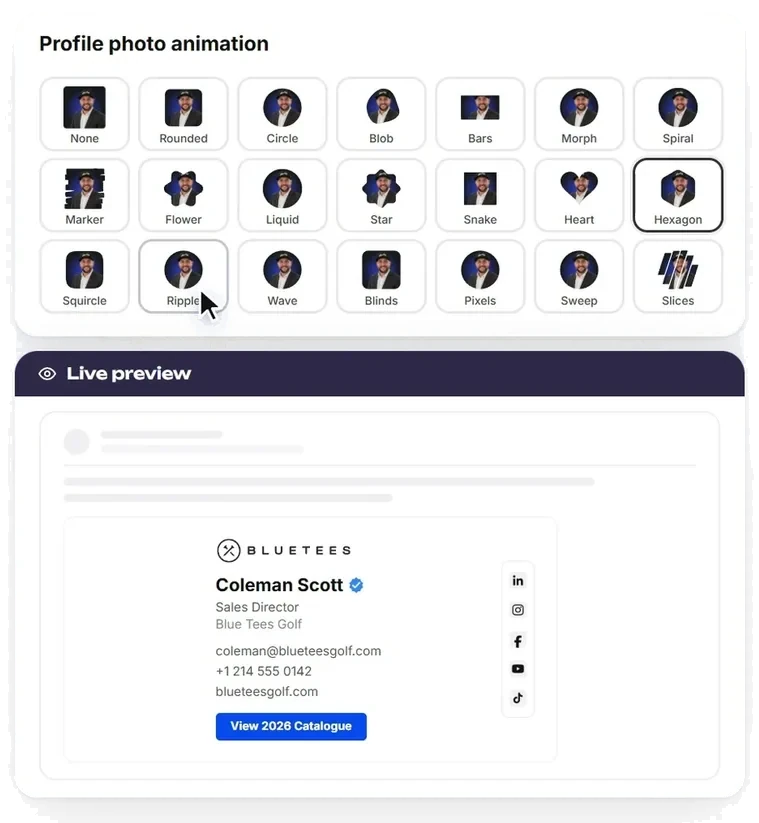
20 photo animations.
Your profile photo can now play one of 20 animations, including new Heart, Hexagon, Squircle, Ripple, Wave and Slices masks. We also redrew Morph and Flower from scratch.
Line your photo up in the cropper, then we shrink it for you. Photos are compressed automatically, so they stay sharp without weighing down your emails.
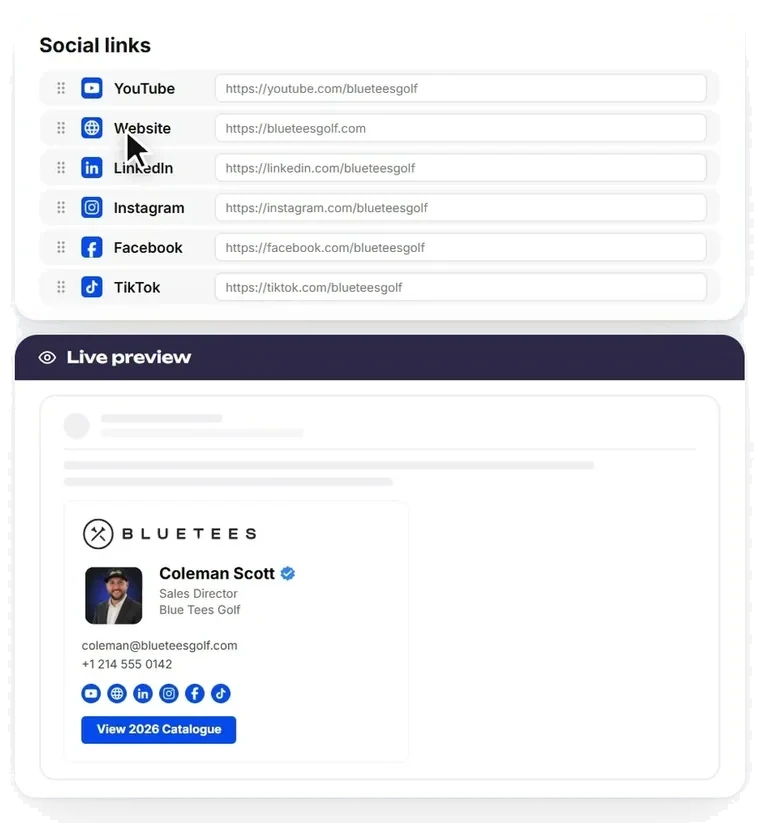
Socials, your way.
Choose from 36 networks plus your website. Turn on custom colours to match your brand, and pick square, rounded or circle icons.
Want LinkedIn first? Drag it to the front. Reordering works with a mouse, a finger on your phone or the keyboard.
Every number, in its place.
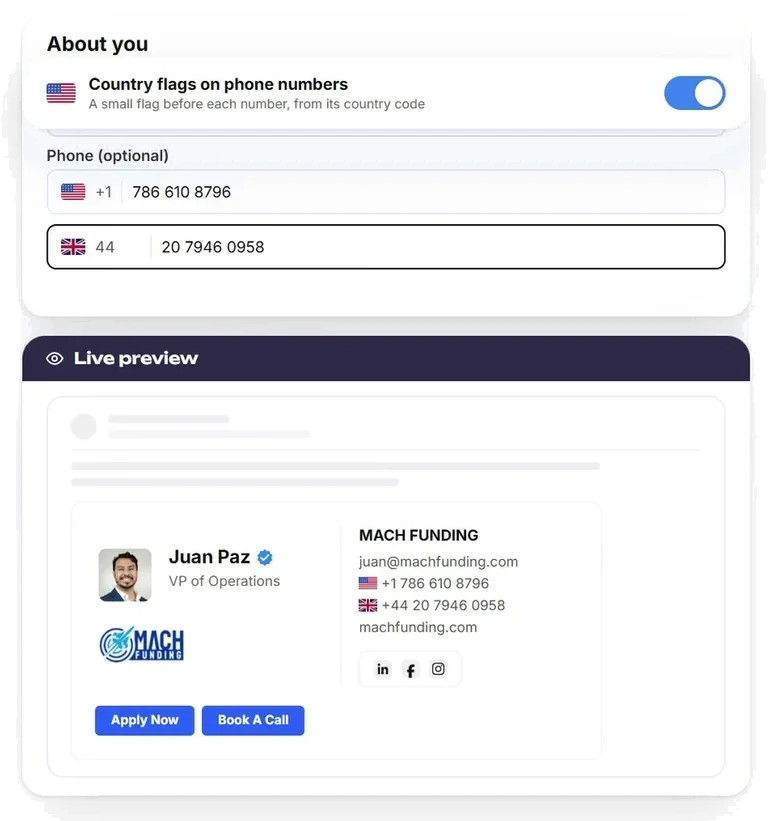
Add up to three emails and three phone numbers, each on its own line. Pick a country and the number formats itself as you type. We even start on your country for you.
Turn on country flags and a small flag appears next to each number, so international contacts know at a glance which number to call.
Change a link once.
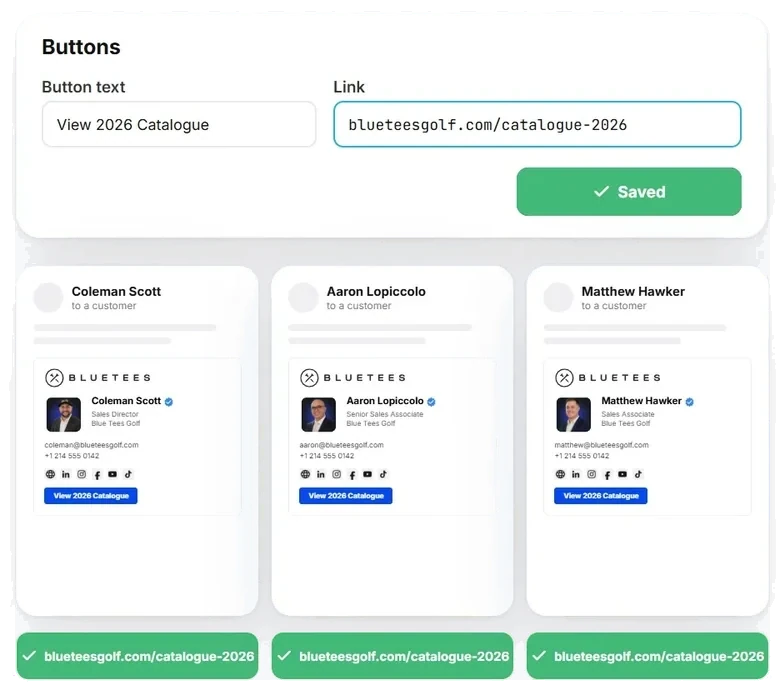
On paid plans, update a button's link in your template and every signature on your team follows. That includes emails already sitting in people's inboxes: a click on an old email lands on the new page.
No asking everyone to re-copy their signature. Change it once and you're done.
Good to know
"Do I need to do anything?"
No. Your signatures keep working as they are. Open your template whenever you're ready to try a new layout, button style or photo animation.
That's the round-up. Log in to try it on your signatures, and tell us what you'd like to see next.
Ready to get started?
Create your first professional email signature in minutes. No credit card required.