Email signature banners: sizes, examples and CTAs people actually click.
Every email your team sends is a small ad slot. Here's how to size the banner, what to put on it, and how to tell whether people click it.
1
Message Per Banner
80-150
Height (px)
12
Banner Ideas
5.6%
Of Opens Clicked
Using ChatGPT or Claude? Take this guide with you.
The short answer
An email signature banner is a clickable image under your signature that promotes one thing: a demo, an event, a case study or a hire. Make it the same width as your signature and 80 to 150 px tall, put one message and one button on it, link the whole banner to the page it promises, and count clicks from people so you know it works.
Last updated 13 November 2026.
What is an email signature banner?
It's an image, usually a wide strip, that sits at the bottom of your email signature and links somewhere. Think of it as a small ad that rides along on every email your team already sends: replies to customers, quotes, follow-ups, cold outreach.
A banner is different from a button. A button is a small call to action next to your details ("Book a call"). A banner is bigger, carries a message ("Live webinar: Thursday 2pm"), and changes with your campaigns. Many signatures have both.
What size should an email signature banner be?
Match the width of your signature and keep it 80 to 150 px tall. Make the file at twice the display size so it's sharp on high-resolution screens, and keep it under 200 KB. Our email signature size cheat sheet covers every other part of the signature.
Email signature banner size and format
The specs that work in Gmail, Outlook and Apple Mail
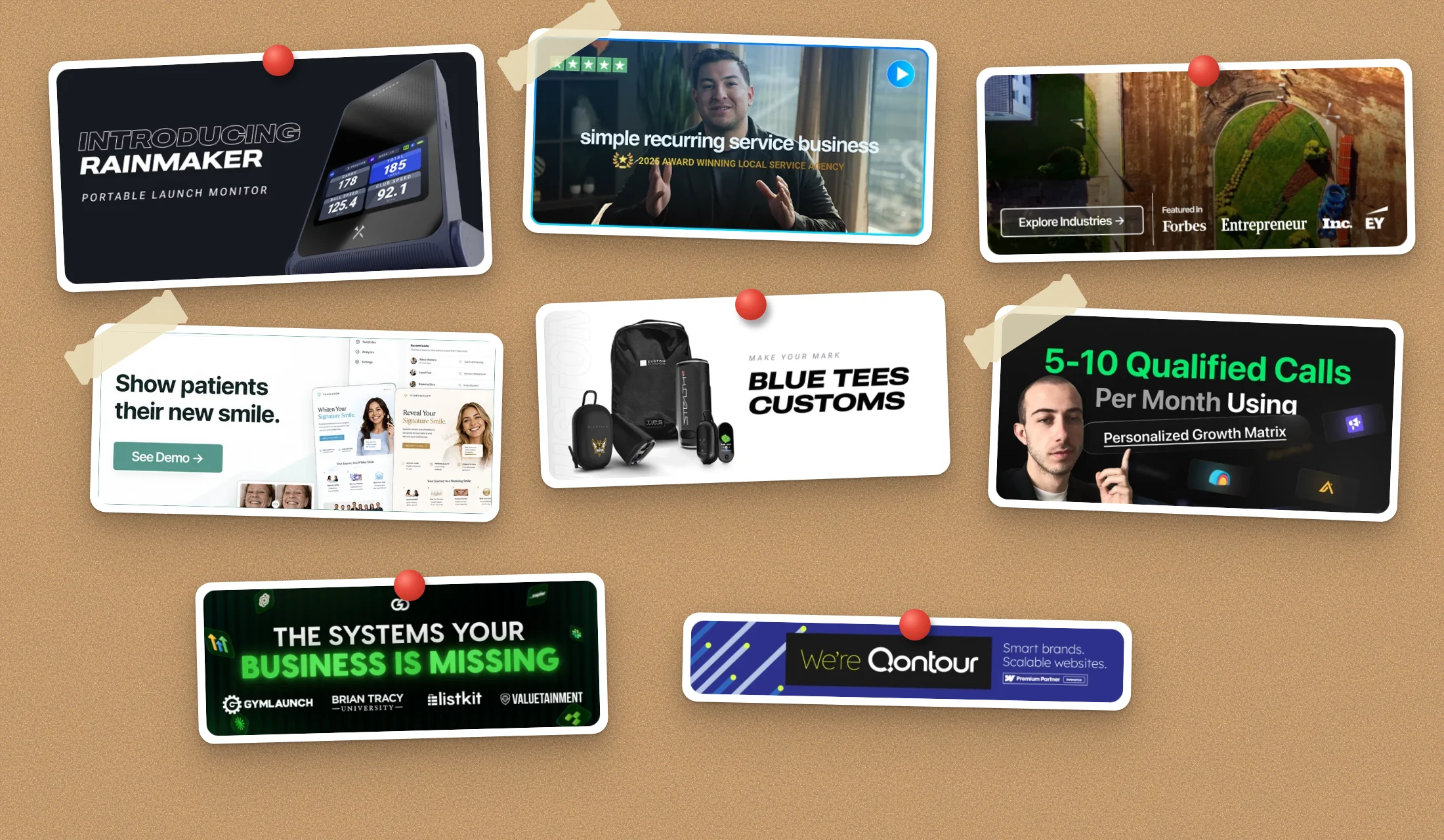
What real banners look like: across 40 banners our customers run, the typical upload is 757 x 315 px, a ratio of about 2.6 to 1. In a 320 px layout that shows about 120 px tall, and in a 470 px layout about 180 px. Taller than 150 px works when the banner is mostly picture, like the BlueTees banners above. Keep the text big. 70% of them are JPEGs, and the typical file is 59 KB.
What makes a banner people click?
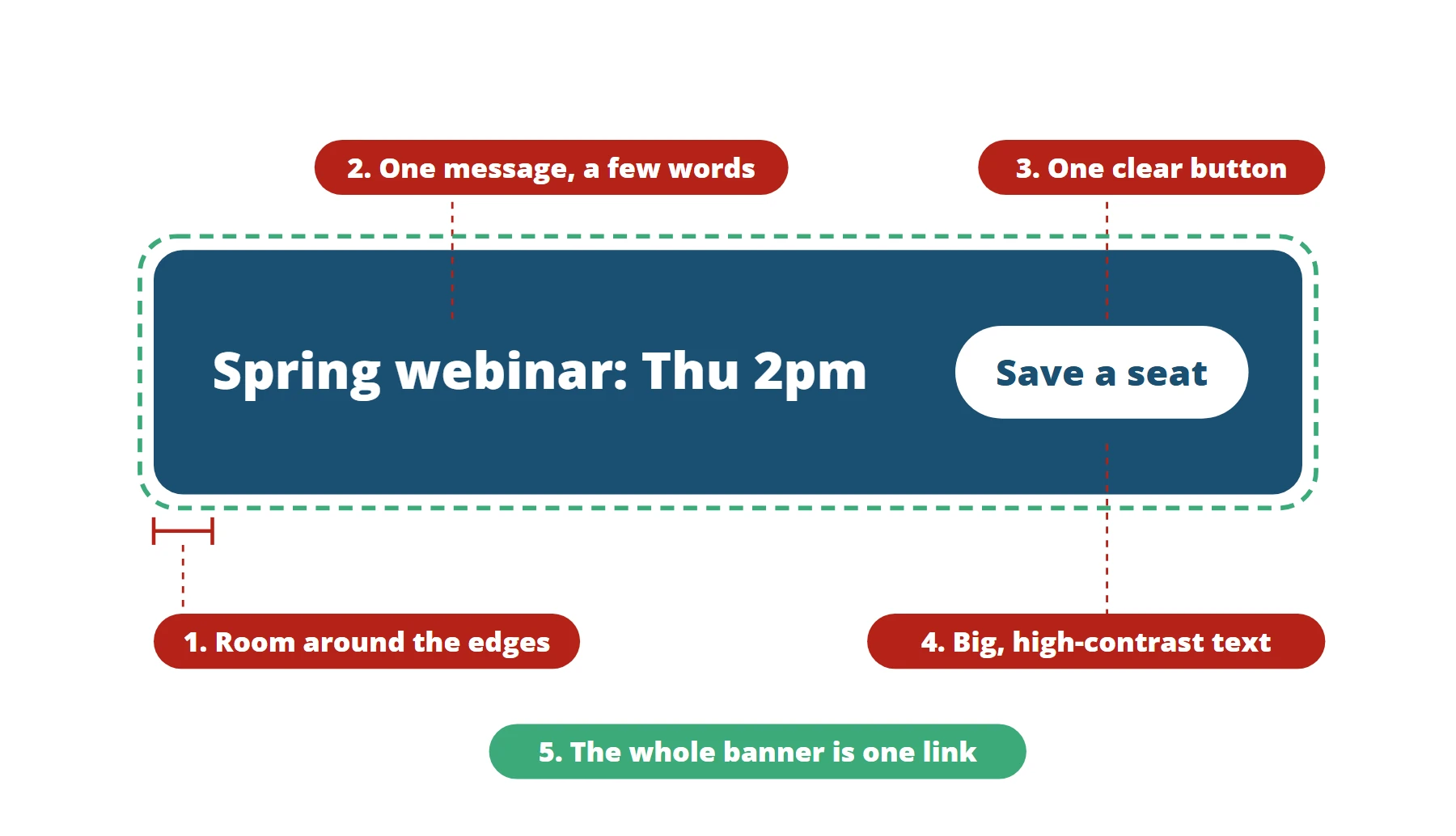
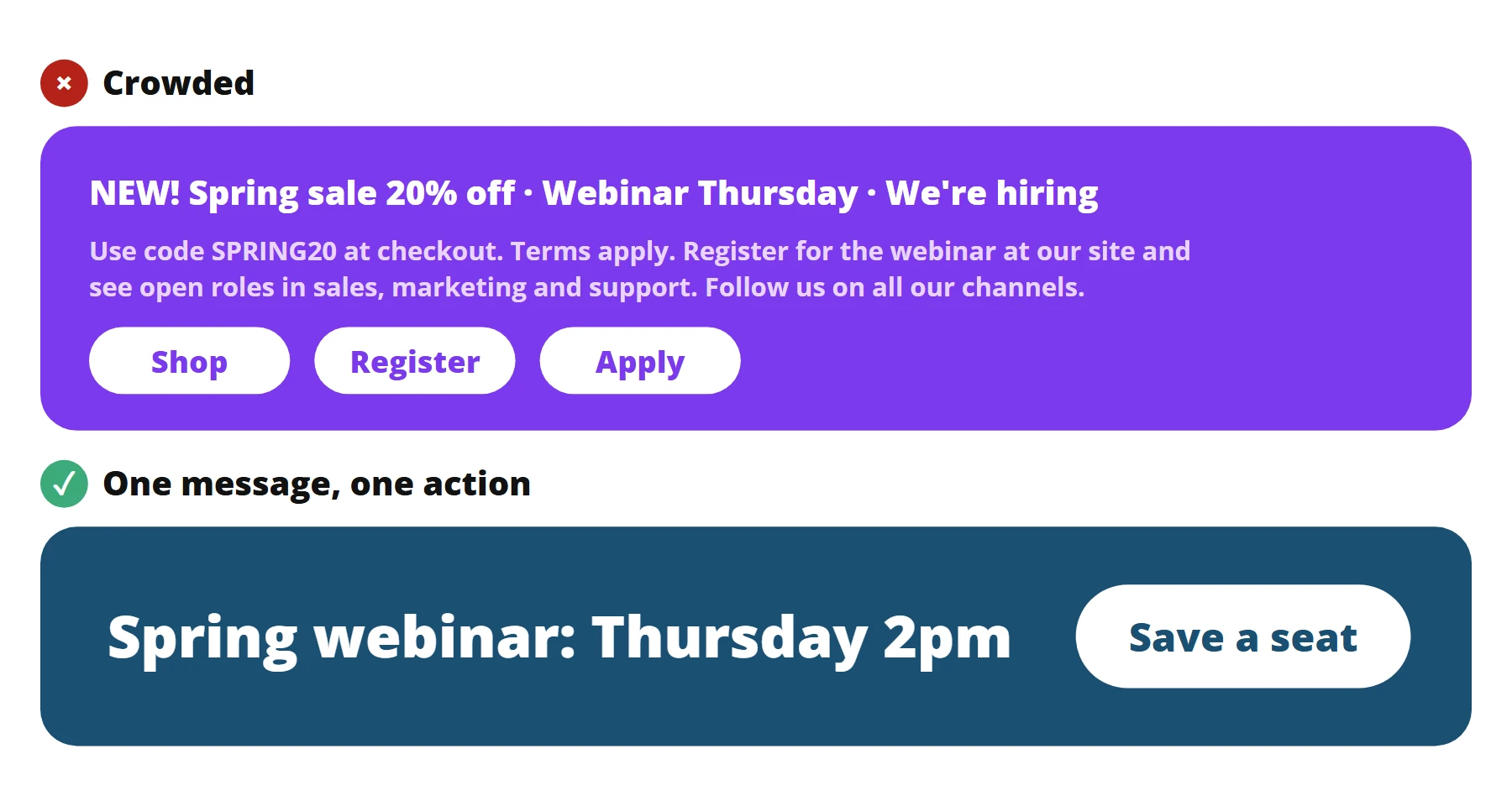
Five things, in this order of importance: one message, one clear button, text big enough to read on a phone, room around the edges, and the whole banner working as a single link.
12 email signature banner ideas by goal.
Start from what you want people to do, then write the banner backwards from there. Each idea below has a headline, a button and the number worth watching.
Email signature banner ideas
Scroll sideways for the destination and the metric to watch
How to write the call to action.
The button text does most of the work. Say exactly what happens when someone clicks, keep it to two or three words, and lead with a verb. If the headline makes a promise, the button should keep it.
Weak versus strong banner CTAs
Make it work when images are blocked.
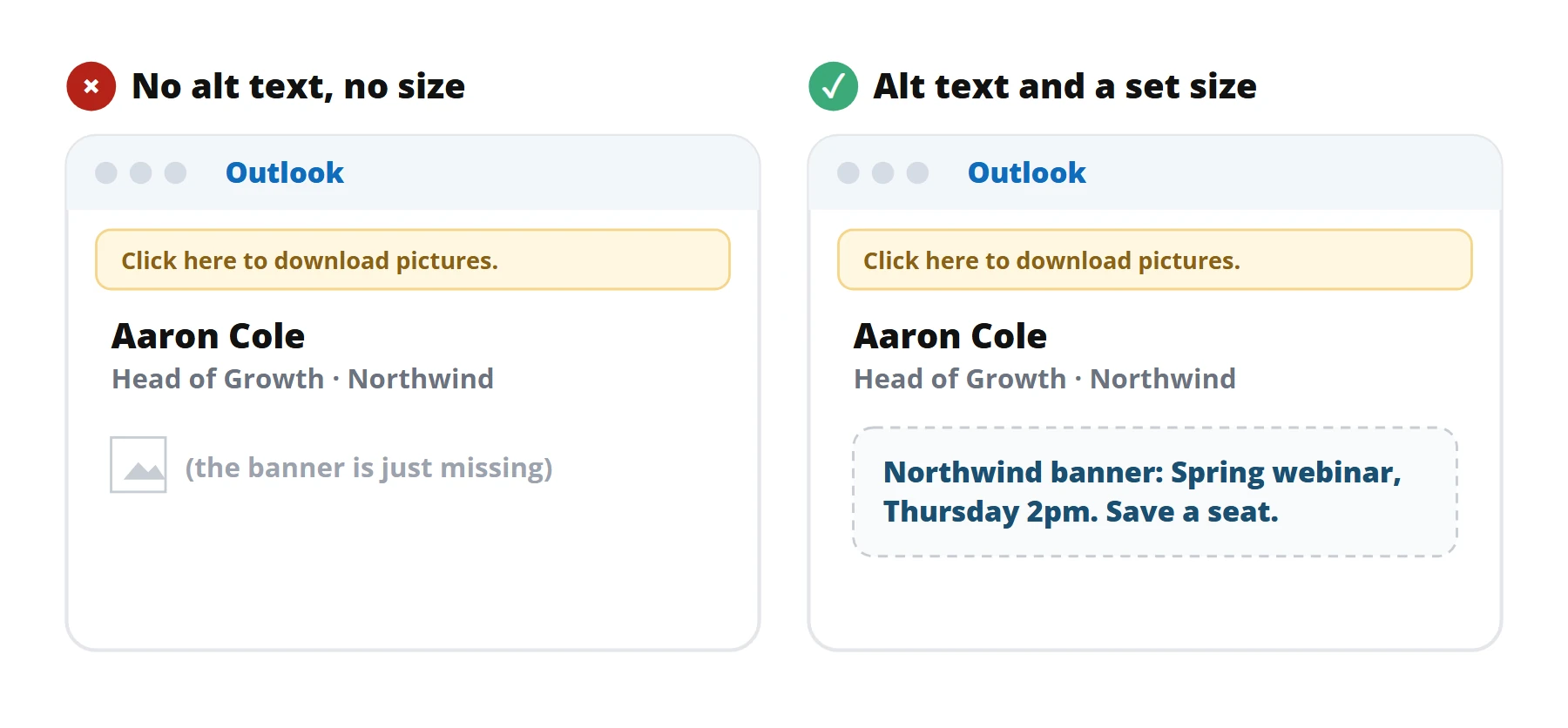
Outlook for Windows often blocks images until the reader clicks to download them. A banner with no alt text and no set size simply disappears. Give it alt text that carries the message, and a width and height so the space is held.
Sigmail sets the banner's width and height for you, and gives it your company name as alt text. Litmus has a good guide to which email apps block images by default.
Change the banner without reinstalling signatures.
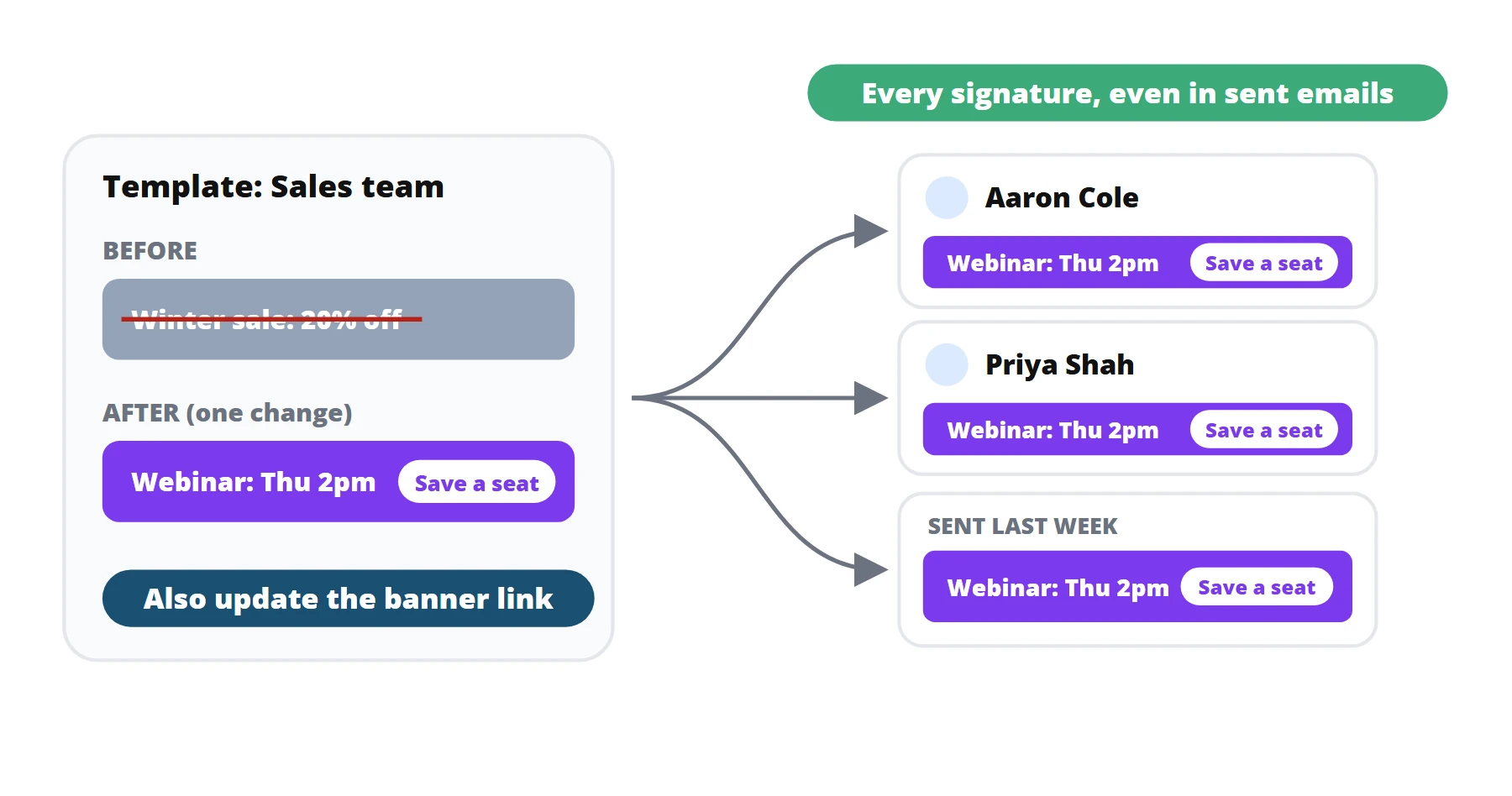
The usual way to run a banner is painful: design it, send it to everyone, and ask each person to paste a new signature. Most of them never do, and old banners live on for months.
With Sigmail, each team or campaign has a template. Change the template's banner and link once, and every signature using it shows the new one, including in emails people sent last week, because the banner image and its link are served live rather than pasted in. Run a template per campaign (a launch, hiring, Q4) and change or switch off the banner when the campaign ends.
Do people actually click signature banners?
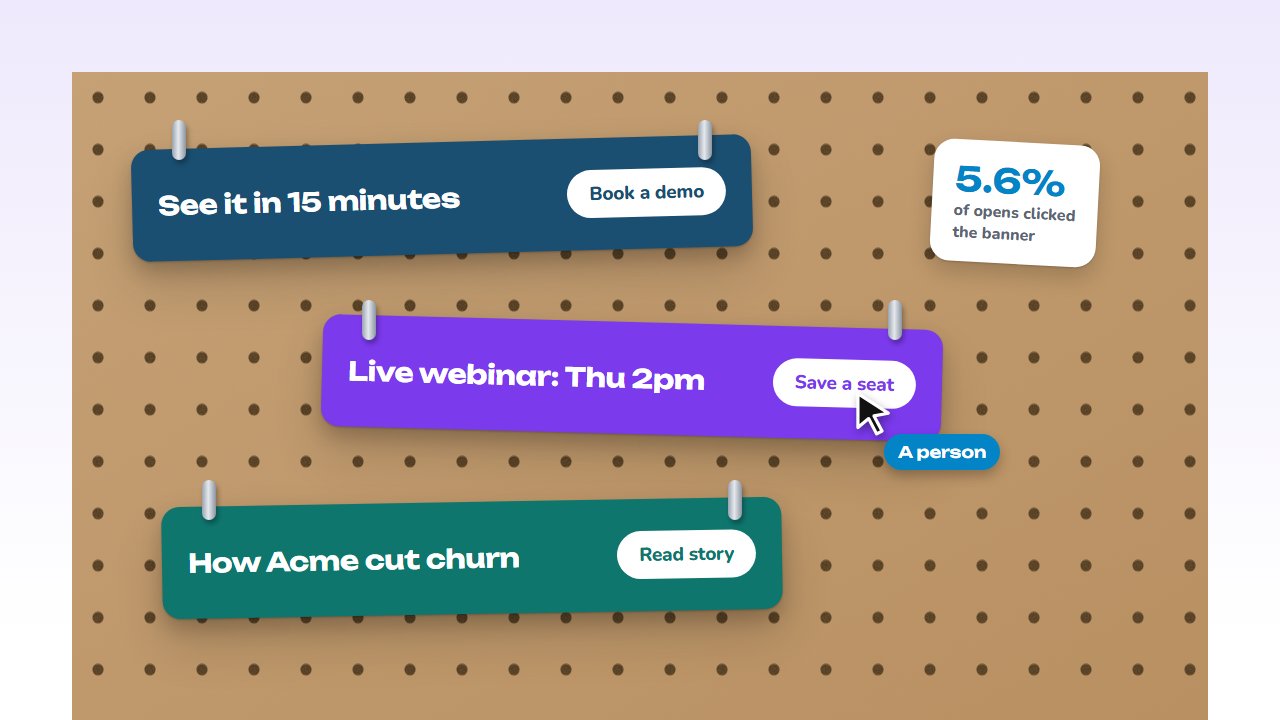
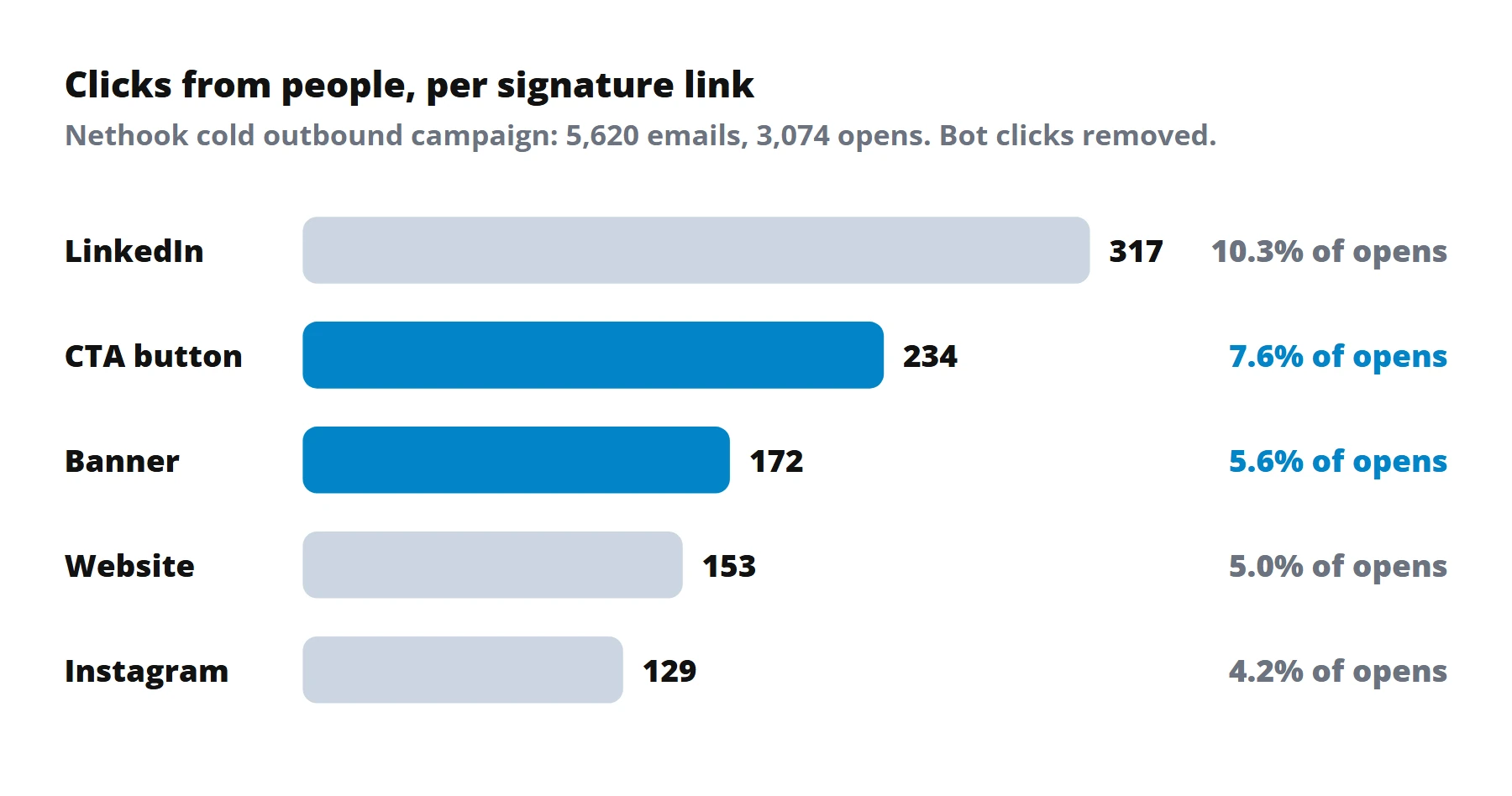
Yes, when there's something worth clicking. On one cold outbound campaign from our Nethook case study, 5,620 emails got 3,074 opens. Counting people only, 172 clicks went to the banner (5.6% of opens) and 234 to the call-to-action button (7.6%).
The catch is in "counting people only". Microsoft 365, Proofpoint, Mimecast and other email security tools open every link in an email to check it's safe, and each check looks like a click. On the same campaign, raw counts showed 679 banner clicks, four times the real number. Read how we filter out bot clicks, or Microsoft's own page on Safe Links.
How to measure a banner.
- Clicks from people per link. Sigmail tracks every link in every signature and separates people from scanners, on every paid plan, from $4 a month.
- Clicks as a share of opens, if your sending tool reports opens. That lets you compare banners across campaigns of different sizes.
- What happens after the click. Add UTM tags to the banner link (for example
utm_source=email-signature) so the visits and signups show up as a campaign in Google Analytics. - One change at a time. Run a banner for a few weeks, then change one thing (the headline or the button) and compare.
Common email signature banner mistakes.
- 1
Three offers in one banner
Nobody can read three messages in a strip 100 px tall. Pick one. Run the others as separate campaigns.
- 2
Text too small for a phone
A banner that's readable on a 27 inch monitor can be unreadable on a phone. Keep text at least about 14 px tall at display size.
- 3
Running the same banner for months
People stop seeing it. Change it when the offer changes, at least every month or quarter.
- 4
Linking to your homepage
Send people to a page about the one thing the banner promises: the webinar signup, the case study, the booking page.
- 5
A banner wider than the signature
It makes the whole email wider than a phone screen. Match the signature width.
- 6
Judging it on raw click counts
Email security scanners click links before people do. Count people, or you'll pick the wrong winner.
Email signature banner FAQ.
What size should an email signature banner be?
The same width as your signature (usually 320 to 600 px) and 80 to 150 px tall, with a file under 200 KB, made at twice the display size so it stays sharp.
Do email signature banners hurt deliverability?
A hosted banner of a sensible size doesn't make the email heavier, and Nethook's cold outbound campaign still had a 55% open rate with a banner in every signature. Attached images and file-sharing links cause more problems than a hosted banner.
Can I change a banner after the email is sent?
Only if the image is hosted and you control the host. In Sigmail, changing a template's banner updates it in every signature, including emails already sent. A banner pasted in as a fixed image can't change.
Do banners show in Outlook?
Yes, but Outlook for Windows often blocks images until the reader chooses to download them. That's why the banner needs alt text and a set width and height.
How many links should a banner have?
One. Make the whole banner a single link to the page it promises, and let the rest of the signature carry your other links.
How do I track email signature banner clicks?
Use a tracked link and count clicks from people, not security scanners. Add UTM tags too if you want the visits to show as a campaign in Google Analytics.
Helpful resources.
- Email signature size cheat sheetSizes for the logo, photo, banner, buttons and GIFs.
- How we filter bot clicks from signature trackingThe five checks that separate people from security scanners.
- Google Analytics Help: campaign URLsHow to add UTM tags to your banner link, and the official URL builder.
- Litmus: email image blockingWhich email apps block images by default, and how alt text helps.
- Microsoft Learn: Safe LinksWhy Microsoft 365 opens the links in your emails before people do.
Turn every email your team sends into an ad.
Add a tracked banner to your team's signatures in minutes. Change it once and it updates everywhere, even in sent emails, and see clicks from people per link and per person. Free for your first signature.
Ready to get started?
Create your first professional email signature in minutes. No credit card required.